
Extending SeeAMess
Extensions live outside the core process. An extension that crashes or leaks memory cannot take the core down, and it scales on its own. There are three ways to extend, all declared in one extension manifest:
- Schema: content types in code (see Define content types).
- Server logic in an extension host: a small service that receives events, intercepts commands, runs jobs and serves an admin API. Libraries:
SeeAMess.Extensions(.NET, ASP.NET endpoints) andsam-ext(Rust, an axum router with signature checks). - UI modules: ES modules the editor loads at runtime.
Register an extension
Section titled “Register an extension”PUT /authoring/v1/extensions/{name} (admin only) with the manifest:
{ "version": "1.0.0", "displayName": "Search indexer", "baseUrl": "http://search-ext:7000", "secret": "<shared secret, at least 32 characters>", "events": ["content.published", "content.deleted"], "interceptors": [ {"hook": "content.validating", "types": ["ArticlePage"], "timeoutMs": 300, "onFailure": "reject"} ], "jobs": [{"name": "reindex", "cron": "0 3 * * *"}, {"name": "rebuild"}], "adminApi": true, "ui": {"modules": [{"url": "https://search.example.com/ui/module.js", "sandbox": false}]}}Extensions can be listed, disabled, enabled and removed through the same API or in the editor under Admin → Extensions. A disabled extension receives nothing; on re-enabling it receives the events it missed.
Every call is signed
Section titled “Every call is signed”Each request the core makes to an extension carries two headers: X-SeeAMess-Timestamp (Unix seconds) and a signature over the timestamp and the body:
X-SeeAMess-Signature: sha256=<hex HMAC-SHA256(secret, timestamp + "." + body)>Reject a bad signature or a timestamp more than five minutes off; both libraries do it for you. Calls go only to the manifest’s baseUrl, are time- and size-limited, and never follow redirects.
Events
Section titled “Events”Asynchronous, at least once and ordered, delivered in batches of up to 100:
POST {baseUrl}/seeamess/events{"events": [{"id": 123, "topic": "content.published", "key": "<content id>", "at": "…", "payload": {"contentId", "locale", "versionId", "type", "by"}}]}Payloads carry IDs, never content, so an extension fetches what it needs with its own rights. A 2xx acknowledges the whole batch; anything else is retried with a backoff from 1 s to 5 minutes. Answer 2xx to topics you have no handler for. Use events for search indexing, cache purges and integrations.
Topics include content.published, content.moved, content.deleted, content.ready, content.rejected, content.reordered, content.restored, content.purged and media.uploaded.
Interceptors
Section titled “Interceptors”Synchronous, with a deadline (default 1000 ms, at most 2000 ms):
| Hook | Runs on |
|---|---|
content.validating |
Saving a draft, publishing, scheduling, scheduled publishing |
content.publishing |
Publishing and scheduled publishing, after validation |
POST {baseUrl}/seeamess/hooks/{hook}{"subject": {"name", "roles"}, "locale": "en", "content": <content view with the proposed data>}Reply {"allow": true, "data"?: {…}} to allow (a validating interceptor may amend fields), or {"allow": false, "errors": [{"field", "message"}]} to refuse with errors the editor places on fields. If the extension times out, onFailure decides: reject fails the command with 502, proceed continues and writes an audit row.
Jobs and admin APIs
Section titled “Jobs and admin APIs”- Jobs from the manifest run under the cluster-wide lease, so each runs once however many nodes exist:
POST {baseUrl}/seeamess/jobs/{job}.cronis optional; without it a job runs when asked (POST /authoring/v1/jobs/{name}/run). - Admin API: with
adminApi: true, requests to/ext/{name}/…on the engine are forwarded to{baseUrl}/admin/…behind the core’s authentication and policy. The caller’s identity arrives as a signedX-SeeAMess-Subjectheader; the caller’s token and cookies are never forwarded.
UI modules
Section titled “UI modules”A module is an ES module whose default export is register(sdk). Types are in @seeamess/editor-sdk.
import type { Register } from "@seeamess/editor-sdk";
const register: Register = (sdk) => { const h = sdk.React.createElement; // never bundle React sdk.contentPanel({ id: "seo", title: "SEO", component: ({ content }) => h("p", null, content.name) }); sdk.fieldEditor("word-limited", ({ value, onChange, field, readOnly }) => /* … */ null); sdk.page({ id: "reports", title: "Reports", icon: "chart", path: "reports/:id", component: ({ params }) => null }); sdk.adminPage({ id: "settings", title: "Search", component: () => null }); sdk.dashboardWidget({ id: "queue", title: "Index queue", component: () => null });};export default register;| Slot | Appears as |
|---|---|
fieldEditor(editorName, …) |
Replaces the built-in editor of any field whose editor hint matches |
contentPanel |
A tab beside Versions |
page |
A navigation rail entry under /editor/x/<path> |
adminPage |
An entry in Admin |
dashboardWidget |
A card on the dashboard |
The SDK also gives you api.fetch (adds the user’s token; only /authoring/, /media/ and your own /ext/<name>/), t for localization, the editor’s React, and tokens so modules follow the theme. Each contribution renders inside an error boundary.
Sandboxed modules ("sandbox": true) run in an iframe with an opaque origin and no access to the editor’s storage or token. They use DOM components and talk to the editor over a checked message channel; their module server must send Access-Control-Allow-Origin: *.
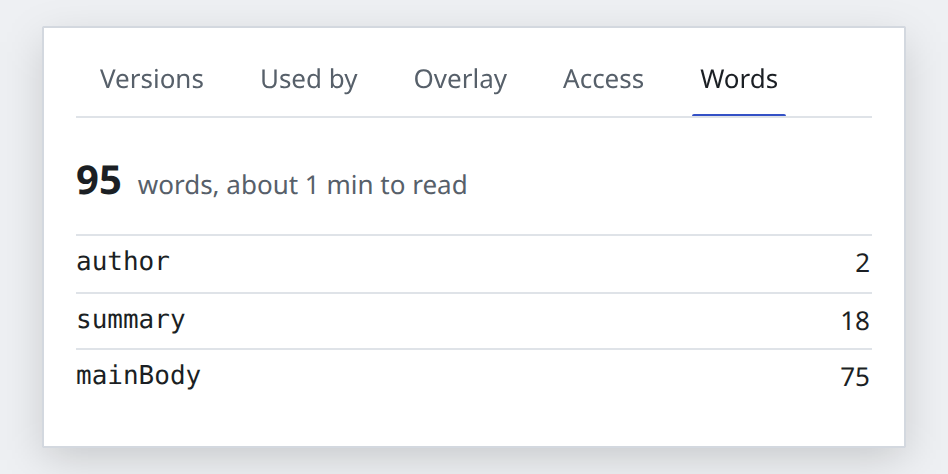
The repository’s editor/examples/word-count-module adds a “Words” panel and a word-limited field editor; sdk/rust/examples/audit-ext and sdk/dotnet/samples/SeeAMess.Sample.Extension are example extension hosts.